
Print Textures
Understanding Risograph Settings: Grain Touch vs. Halftone
Risograph printing works by burning a digital design into a cellulose screen, which allows ink to pass through onto the paper. To translate your digital file into this physical screen, we use one of two primary methods: Grain Touch or Halftone.
If you have a preference for one option or another for your project, make sure to let us know in the notes section of our print inquiry form.
Which should you choose?
If textures are important in your design (like a photograph or marks made with pens or brushes) then, pick Grain Touch.
If you like the look dot grid or if maximum saturation is important to you, pick Halftone.
Option 1: Grain Touch (Our Default Setting)
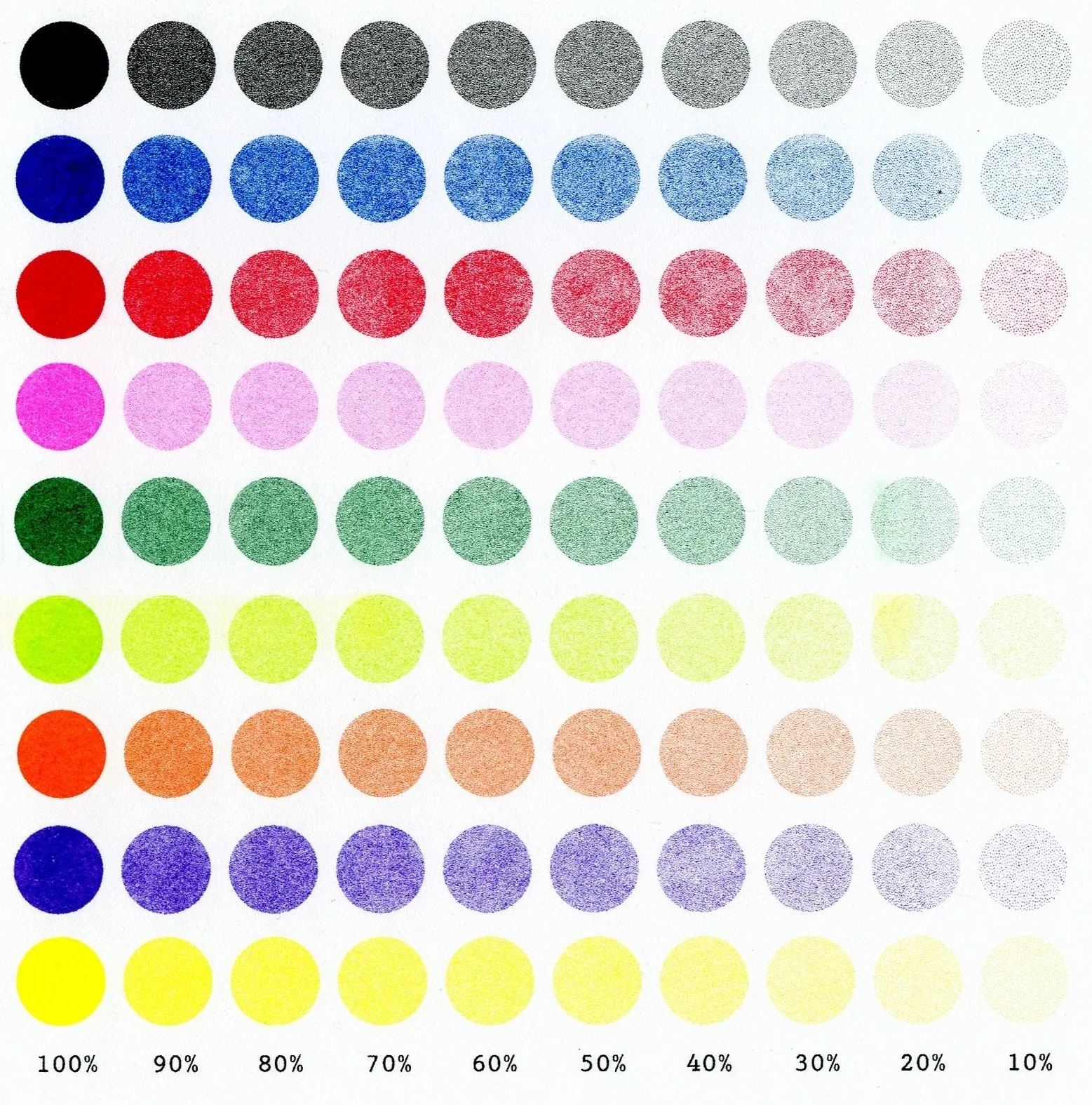
Grain Touch uses a randomized, organic dot pattern to reproduce the tones and textures of the original artwork.
The Aesthetic: This method is designed to be faithful to the original "feel" of your art, preserving the nuances of photographs, brushstrokes or pencil marks.
The Trade-off: While it excels at texture, Grain Touch is slightly more muted in terms of color saturation.
Best For: Most illustrations, fine art prints and projects where texture is the priority.
Below is an opacity chart for each of our inks printed using the Grain Touch setting.
Option 2: Halftone
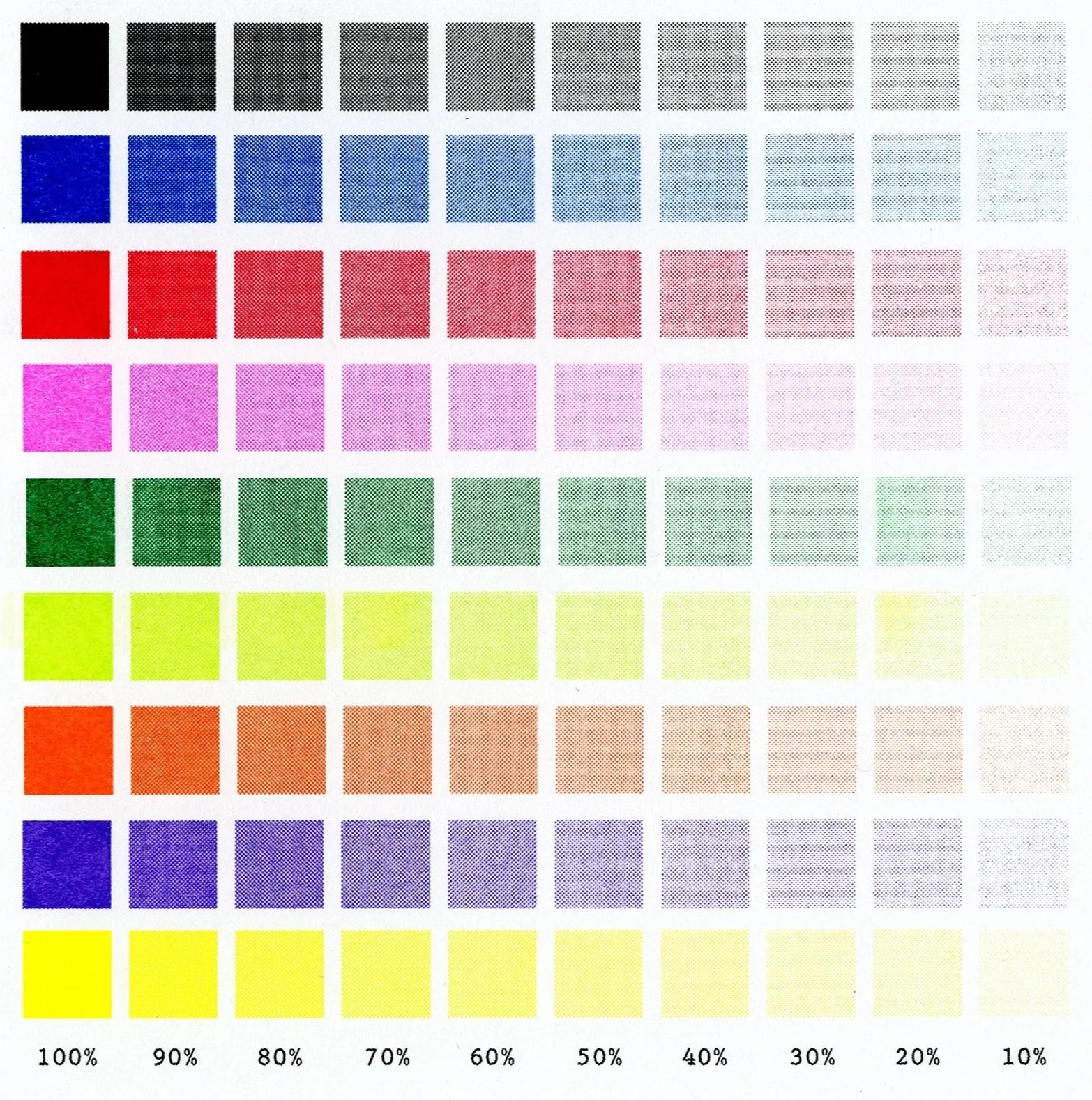
Halftone uses a structured grid of dots to recreate the artwork–think comic books or pop art.
The Aesthetic: The dot pattern is visible and intentional.
The Benefit: Halftone allows for higher ink saturation
Best For: Bold graphics, posters, and designs where you want the "dot" texture to be a focal point.
Below is an opacity chart for each of our inks printed using the Halftone setting.
Direct Scanning
Our Risograph machine has a scanning bed which can be used to make prints. Below are scans of prints made from collaged magazine clippings and drawings.
Black
Blue
Red
Fluorescent Pink*
Grass
Violet
*Fluorescent Pink prints more pink and brighter than what a scan or photo can display.
Ready to print?
Get in touch for a quote or more information.